
How Much TOPS Do You Need? Choosing Edge AI Hardware for Industrial Devices
inAdding AI to an industrial device creates a practical hardware question: how much processing capability does the application actually need? A higher TOPS rating may look reassuring, but it does not tell an equipment manufacturer whether the system will meet a response-time target, fit an existing enclosure, or work with the software already in use.
TOPS means trillions of operations per second. It describes processing capability under specified conditions and may refer to a processor, an accelerator, or a vendor-defined combination of processing units. For buyers, its value is in helping shortlist platforms for evaluation. The final decision depends on what the complete device can do with the intended workload.
For industrial edge AI projects, this guide explains how to turn an AI feature into hardware requirements, compare configurations, and decide what to validate before committing to a platform.
Define AI Hardware Requirements Before Comparing TOPS
Begin with the job the device must perform. An HMI that occasionally processes a voice command has different requirements from a panel PC analyzing a continuous camera feed. A field tablet that evaluates an image when an operator requests it presents another workload.
Describe the application in terms the engineering team can test:
- What data enters the system, and from which cameras or sensors?
- How frequently must the device process that data?
- What result must it produce, and how quickly?
- What accuracy is acceptable, including missed detections or false alarms?
- Which other functions must run at the same time?
If a model has already been selected, include its version, input dimensions, and deployment format. If it has not, start with the intended task and representative data. Model selection and hardware feasibility can then be evaluated together.
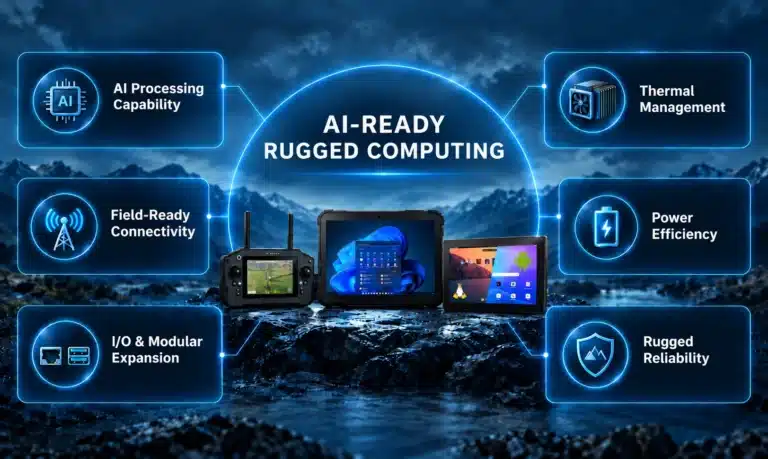
This also establishes whether inference must run on the device, whether connectivity is dependable, and what must continue during an outage. These requirements form part of the broader AI-ready rugged computing platform assessment.
Evaluate AI TOPS Against Your Actual Workload
There is no universal TOPS requirement for “industrial vision” or “an AI-enabled HMI.” Two applications in the same category may use different models, input resolutions, processing rates, and accuracy targets.
Before comparing AI TOPS figures, check their measurement conditions. An INT8 TOPS rating describes 8-bit integer operations and cannot be directly compared with FP16 floating-point performance. Dense and sparse ratings also describe different assumptions. When reviewing NPU TOPS, confirm whether the figure covers the NPU alone or whether the vendor is quoting combined processing capability. Qualcomm’s explanation of dense and sparse TOPS shows why precision and computation assumptions matter when interpreting headline numbers.
The TOPS vs. FLOPS distinction matters here: FLOPS specifically measures floating-point operations per second, while a TOPS claim needs its stated numerical precision to be meaningful. Compare equivalent metrics before drawing performance conclusions.
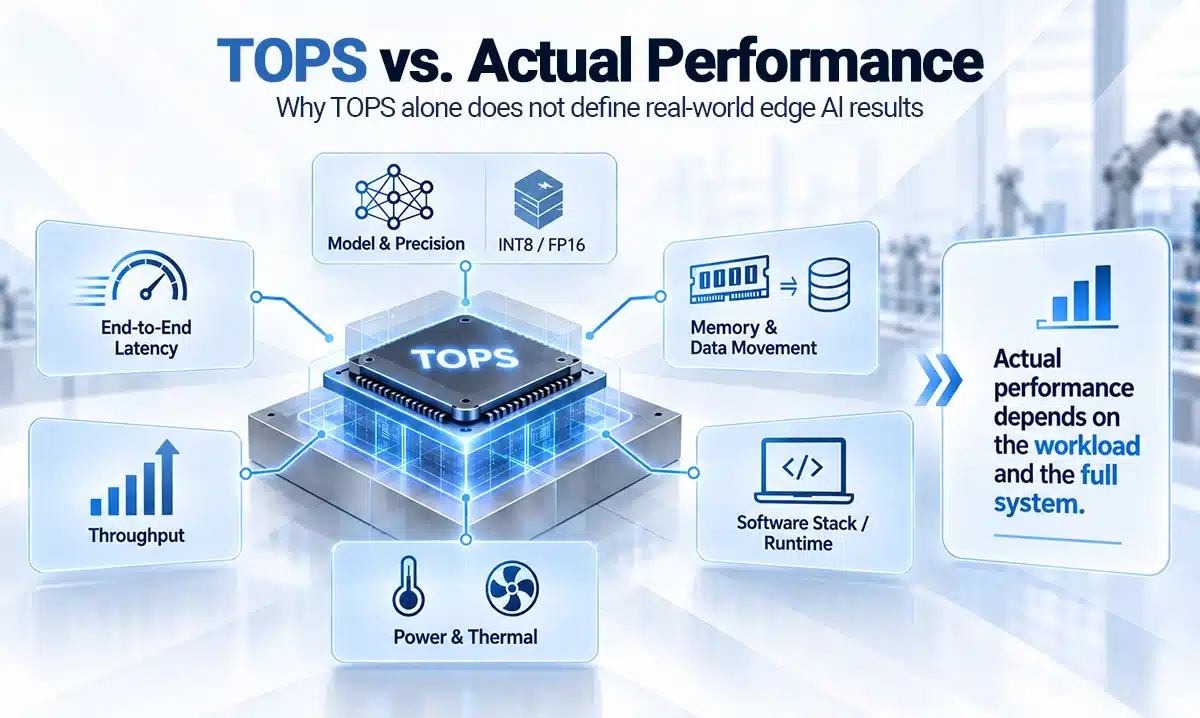
Next, test a representative workload on the candidate configuration. Record both inference time and end-to-end response time. For a vision application, the latter may include image capture, decoding, resizing, inference, postprocessing, and delivery of the result to the application.
Test at the intended batch size and concurrency. Processing many images together may improve throughput while failing to meet the response time required for an individual request. Verify accuracy after model conversion or quantization as well.
The useful purchasing evidence is a result tied to a defined configuration: this model, these inputs, this software stack, and these operating conditions. A TOPS figure alone cannot establish how many cameras a system can process or whether it will meet your application’s timing requirements.
Decide Whether Higher TOPS Justifies the Additional Cost
When a configuration misses its target, identify the bottleneck before moving to a higher-performance processor. The limiting factor could be model computation, memory availability, data movement, video decoding, or CPU work outside the accelerator. More accelerator throughput may leave the actual constraint unchanged.
Ask what the proposed upgrade improves. Does it reduce the measured response time? Enable another camera stream? Allow a model that meets a stricter accuracy requirement? These are stronger reasons to increase capacity than a larger specification-sheet number.
Compare the complete configuration and engineering scope. Check whether the proposal changes memory, cooling, power delivery, enclosure space, or software porting requirements. A lower-priced board can still be a poor fit if adapting the rest of the device requires substantial work.
Future capacity deserves the same discipline. Separate confirmed plans from possible additions. If the next release will increase image resolution or run a second model, evaluate that workload early. If the future feature is undefined, document the uncertainty rather than applying an arbitrary headroom percentage.
The goal is a configuration that meets current requirements and accommodates credible next steps within the project’s budget, physical limits, and development schedule.
Choose the Hardware Format Around the Workflow
When selecting an industrial AI computer, the way people and equipment use the device can narrow the platform choice before compute specifications do.
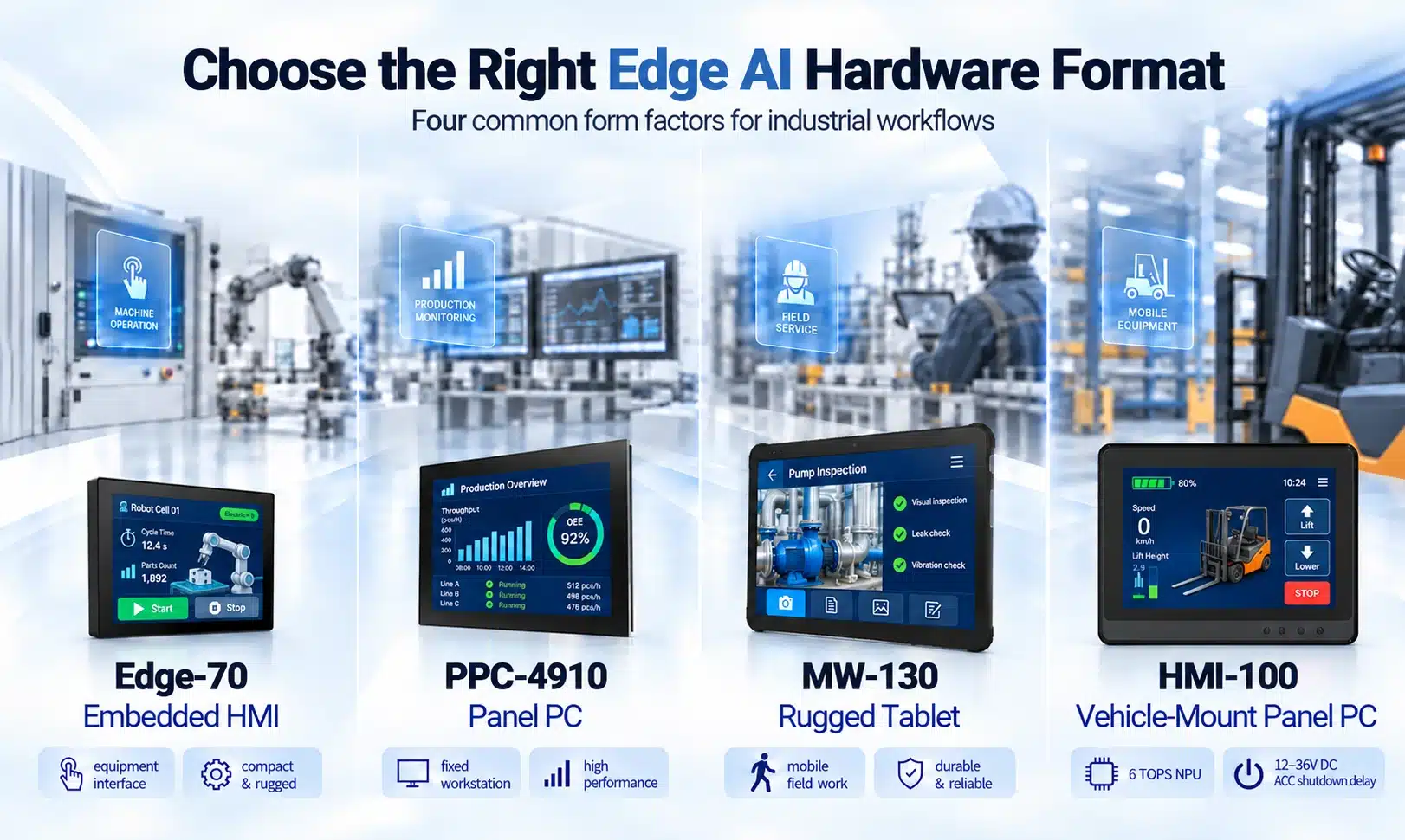
Embedded HMI for equipment interaction
An HMI combines operator controls with local processing inside a machine or appliance. Touch operation, mounting, controller interfaces, and software behavior all matter alongside AI acceleration.
The Edge-70 edge AI HMI platform illustrates this integration approach. Its published specifications include an integrated NPU rated at up to 1 TOPS, with panel-mount and open-frame options. For a project based on this platform, the evaluation must establish whether the chosen AI workload can operate alongside the HMI application within the available resources.
Industrial panel PC for a fixed workstation
A panel PC may need to display results, connect to machine interfaces, and support a camera-based application in one installed system.
The PPC-4910 Edge AI Panel PC uses the NXP i.MX8M Plus and specifies an NPU operating at up to 2.3 TOPS. Its datasheet also lists dual MIPI CSI support for customization and industrial communication interfaces. Those integration provisions should be assessed with the intended peripherals and software; they do not establish a particular model’s frame rate.
Vehicle-mounted panel PC for mobile equipment
A vehicle-mounted panel PC must combine operator interaction and local processing with the power and mounting requirements of mobile equipment.
The HMI-100 rugged vehicle-mount panel PC combines an octa-core Arm Cortex-A72 + Cortex-A53 processor with a 6 TOPS NPU. Its 12–36V DC input and ACC shutdown delay support vehicle integration. Evaluate the intended AI model alongside the HMI software, connected equipment, and sustained thermal conditions; the 6 TOPS rating alone does not establish application suitability.
Rugged tablet for mobile field work
A mobile workflow adds battery use, screen visibility, data capture, charging, and docking to the selection criteria. The MW-130 rugged tablet platform is a reference for evaluating these mobile hardware requirements. Any proposed AI implementation still requires confirmation of the specific processor configuration, software support, and application performance.
These formats solve different integration problems. Comparing them solely by TOPS would miss the requirements that make each suitable for a particular workflow.
Check Compatibility with Existing Software and Equipment
An accelerator only helps when the deployment stack can use it effectively. Confirm the operating system, board support package, driver, runtime, and model-conversion requirements for the exact configuration under consideration.
A supported model format does not guarantee that every operation will execute on the NPU. Some operations may run elsewhere, depending on the runtime and its configuration. ONNX Runtime’s execution-provider documentation explains how supported nodes or subgraphs are assigned to hardware backends and how provider priority can affect execution.
For an existing application, ask which components can be retained and which require changes. Include the user interface, camera drivers, control software, and any libraries tied to a particular processor architecture or operating system.
Review physical integration with equal care. A camera connector is not proof that the intended camera has a working driver. A listed serial interface does not establish compatibility with every connected controller. Check available port combinations, electrical requirements, data rates, and software support.
This is where OEM/ODM platform evaluation and development can support the selection process. The project scope should identify the hardware adaptations, firmware or application work, and validation needed to connect the proposed platform to the customer’s equipment.
Validate Edge AI Performance Before Production
A successful development-board demonstration is an early milestone. Before committing to production, repeat the evaluation in a configuration representative of the finished device.
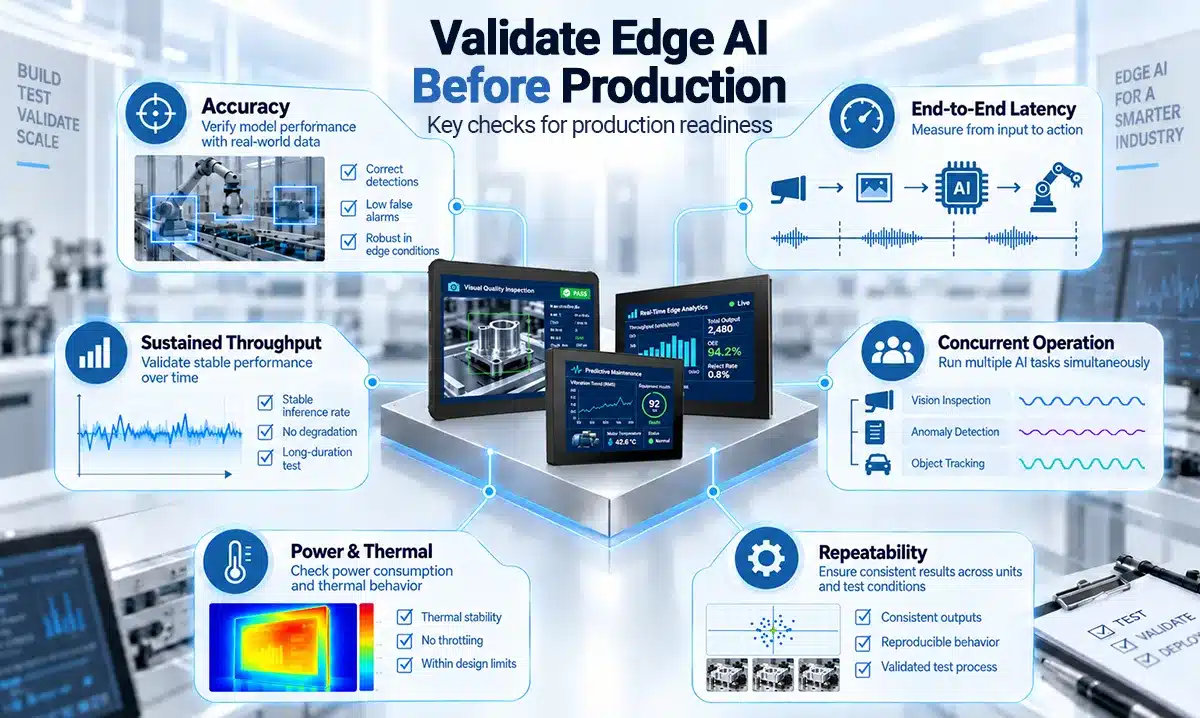
Define acceptance criteria before testing:
- Application performance: acceptable accuracy, end-to-end latency, and sustained throughput with representative inputs.
- Concurrent operation: AI processing alongside the HMI, communications, data logging, and other expected functions.
- Memory use: sufficient capacity for the model, intermediate data, runtime, and application, including peak demand.
- Power and temperature: measured system behavior using the intended supply or battery, enclosure, mounting arrangement, and operating environment.
- Repeatability: documented hardware, software versions, settings, and test procedures so results can be reproduced after changes.
Run long enough to observe stabilized operating behavior, rather than relying only on a short demonstration. Monitor temperature and performance together to identify any throttling or variation under sustained load. NVIDIA’s inference benchmarking guidance explains how power limits, thermal conditions, and data transfers can influence measurements.
For battery-powered devices, include the display, radios, cameras, and actual usage pattern when evaluating operating time. For installed equipment, check that the selected power and cooling arrangements remain suitable once the platform is integrated.
Keep the validation record with the configuration decision. It gives procurement and engineering a shared basis for accepting the platform and assessing later changes.
Discuss Your Edge AI Hardware Requirements
Choosing an industrial AI platform starts with a clear application brief. Share your intended AI task, model or representative data, response-time target, equipment interfaces, power constraints, and operating environment with Estone Technology. These details help define the platform evaluation and any project-specific development required. Discuss your project with our team.