
Rugged Tablet Customization: Options and OEM/ODM Project Requirements
inA rugged tablet can meet your durability requirements and still need changes before it fits your application. A diagnostic tool may require a particular connector. A warehouse workflow may depend on a barcode reader and charging dock. A software platform may need a controlled OS image and specific peripheral drivers.
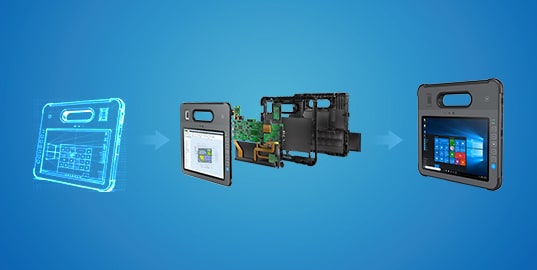
Rugged tablet customization addresses these gaps between an available device and the way it will be deployed. The scope may range from selecting existing options to modifying hardware, adapting software, or developing a new platform.
For product teams and system integrators, the first step is to define what the device must do. Clear requirements help an OEM/ODM partner evaluate whether an existing platform can support the project and identify the work needed before production.
When Does a Rugged Tablet Need Customization?
If an available tablet meets your application, integration, and operating requirements, a standard configuration may be sufficient. Customization becomes relevant when a specific requirement remains unresolved—for example, a missing interface, an unsuitable mounting arrangement, or software that cannot work with the available configuration.
Customized rugged tablets should be evaluated against those requirements, rather than a general wish list of features. Separate essential functions from preferences, and describe the limitation each requested change needs to solve.
Healthcare
A healthcare project may require a barcode reader for patient identification, a dock that fits a medical cart, or compatibility with an existing application. Cleaning procedures, materials, and intended use also need to be defined early. These details help establish the integration and validation scope for a custom medical tablet project. For broader selection criteria, see our guide to choosing a tablet for healthcare use.
Construction and Field Services
Field teams may need to connect a tablet to inspection equipment, operate it while wearing gloves, or move between handheld and vehicle-mounted use. A useful project brief identifies the equipment interfaces, mounting constraints, power sources, and working conditions involved. This makes it possible to assess which needs an existing platform can meet and where modifications may be necessary. Our guides to rugged tablets for field work and rugged tablets for construction explore the device features to consider for these environments.
Manufacturing and Warehousing
Factory and warehouse workflows may depend on scanning, equipment communication, and access to production or inventory systems. Custom requirements could involve a particular scanner, connector position, dock, or software configuration. Describing the actual task—for example, scanning a component and recording its inspection result—gives the engineering team a clearer basis for evaluation. For shop-floor device selection, see our guide to industrial tablets for manufacturing.
Standard Options, Platform Modifications, or Custom Development?
Bespoke tablets do not always require a new design. A project may be achievable through existing options, while another may need changes to the enclosure, electronics, or software. The available route depends on the selected platform and the requirements it must satisfy.
| Approach | What it involves | What to confirm |
| Standard configuration | Selecting options already supported by a platform, such as memory, storage, wireless modules, or accessories | Available combinations, software compatibility, and the exact configuration to be supplied |
| Platform modification | Adapting an existing design through changes such as an interface, mounting feature, enclosure detail, or software build | Engineering access, design constraints, development scope, and additional testing |
| Custom development | Developing a platform when existing designs cannot meet essential requirements | Architecture, tooling, prototypes, validation, production requirements, and maintenance responsibilities |
An existing design can provide a starting point, but its modification limits matter. Some platforms support only defined configuration choices. Others allow deeper changes to hardware and software. Confirm the supported scope before treating a requested feature as an available option.
What Can Be Customized—and What Needs Evaluation?
The following areas provide a practical framework for discussing custom rugged tablets. They are areas for evaluation; the feasible combination must be established for the specific platform and project.
Interfaces and Peripheral Integration
Start with the equipment the tablet must connect to. Specify the interface, connector, data protocol, and any power required by the peripheral. A request for “a serial port,” for example, should also identify the connected device, connector arrangement, and software requirements.
Barcode readers, RFID modules, cameras, and other peripherals need both physical and software consideration. Confirm how the application will access the device, whether drivers or an SDK are required, and how the complete workflow will be tested.
Enclosure, Mounting, and Handling
Mechanical requirements may include installation dimensions, mounting points, connector access, button placement, or compatibility with a dock. Handheld use introduces additional questions about weight, grip, straps, and access to controls.
Changes to the enclosure or connector layout can also affect sealing, thermal behavior, and durability. Provide drawings or installation dimensions where possible, and include the final mounting arrangement in the validation plan.
Display and Touch Operation
Define where the display will be used and how users will interact with it. Relevant requirements include screen size, viewing conditions, glove operation, wet-touch behavior, and compatibility with a stylus or protective layer.
Display changes must be assessed together with power consumption, thermal design, mechanical fit, and software behavior. A specification such as higher brightness should be tied to a real visibility requirement and checked in representative conditions.
Processing, Memory, Storage, and Power
A custom tablet PC needs a computing platform that supports the application and its expected workload. Identify the required OS, software dependencies, local storage needs, and any connected devices before choosing a processor configuration.
Power requirements should reflect the daily workflow, including active use, scanning, wireless communication, docking time, and access to charging. Define the required battery runtime, charging methods, and whether the application needs a user-replaceable battery or hot-swappable batteries for uninterrupted operation. These requirements should be evaluated and verified on the selected platform under representative workloads.
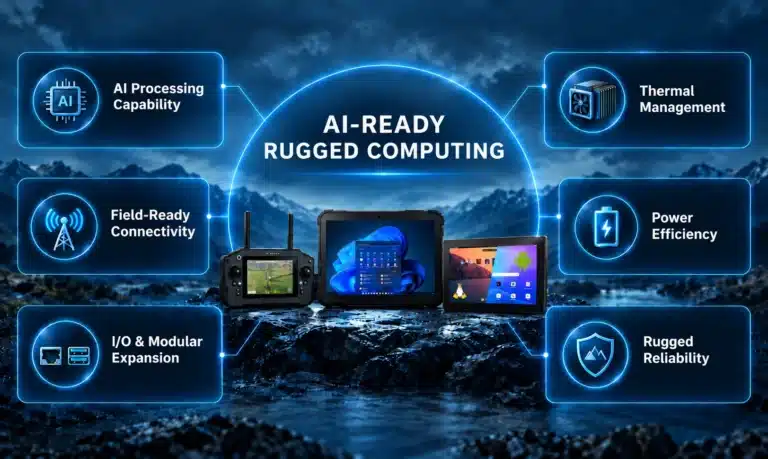
For projects involving AI, define the intended task, model, and whether inference will run on the device, in the cloud, or across both. Evaluate OS and inference framework compatibility, CPU/GPU/NPU requirements, memory, storage, and camera or sensor inputs alongside target latency, sustained thermal performance, and battery runtime. Validate the actual model on the proposed configuration rather than relying on an “AI-ready” label alone. Our guides to AI-ready rugged computing and evaluating AI TOPS for industrial devices cover platform requirements and workload-based compute sizing.
OS, Firmware, and Application Deployment
OS and firmware customization may involve an OS image, peripheral drivers, device settings, or changes to firmware behavior. OS support depends on the processor, drivers, and platform. Define which parts of the system the customer will manage and which require support from the hardware partner.
Installing an existing application is different from custom application development. If the project requires a tailored user interface, new workflow functions, or integration with peripherals and enterprise systems, specify the required behavior, software interfaces, and validation responsibilities.
For deployments across multiple devices or locations, define whether remote device management (MDM/RDM) is required. Establish the scope for remote monitoring, access control, version management, and software or firmware updates, including compatibility with the selected platform and any existing management system. Agree on who will maintain the configuration and support updates after delivery.
Branding and Delivery Configuration
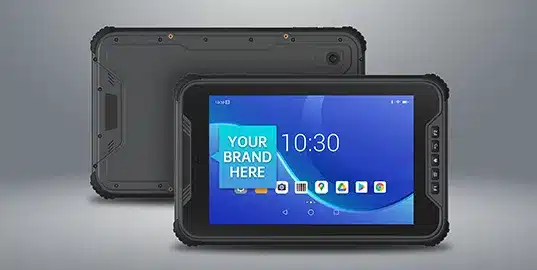
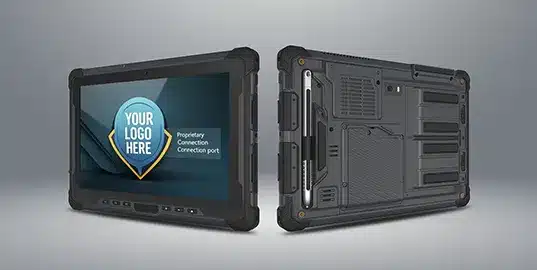
Some projects need changes to logos, labels, packaging, startup screens, or preloaded applications. These requirements should be documented alongside the hardware specification so that samples and production units can be checked against the same agreed configuration.
Branding, configuration, and engineering changes have different implications. Defining them separately helps the project team understand which requests affect appearance, deployment, or the underlying product design. Estone’s private labeling services provide further context for projects delivered under a customer’s brand.
What Affects Development Cost and Lead Time?
The scope of change is a major factor. Selecting supported options involves different work from changing a circuit board, developing a dock, or creating a new enclosure. The number of affected systems matters as well: one connector change may involve mechanical design, electronics, software, and testing.
When planning custom built tablets, discuss:
- Engineering and tooling: Design work, software development, prototypes, and any required molds or fixtures.
- Components: Availability, qualification needs, and acceptable alternatives.
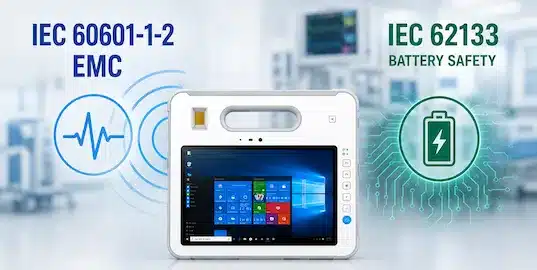
- Testing: Functional and environmental verification, plus applicable testing and certification requirements for the intended configuration, market, and use.
- Production quantities: Prototype, pilot, and production volumes, including any minimum order requirements.
- Support: Configuration control, component changes, software maintenance, and the intended service period.
Ask for development charges and tooling costs to be distinguished from unit pricing. Agree on milestones for requirements approval, sample review, validation, and production release. A meaningful schedule follows an agreed scope and component review.
What to Prepare Before Starting Your Project
A custom tablet manufacturer can evaluate a project more effectively when the brief explains both the requirement and its purpose. Use the following checklist to prepare the initial discussion.
| Requirement | Information to provide |
| Application | Who will use the tablet, the task it supports, and the limitation being addressed |
| Software | OS requirements, applications, dependencies, and device management needs |
| Interfaces | Connected equipment, connectors, protocols, peripherals, and driver requirements |
| Mechanical design | Screen size, installation space, mounting method, handling needs, and weight limits |
| Power | Usage pattern, charging access, input power, and battery replacement requirements |
| Environment | Temperature, dust, liquids, vibration, drops, and cleaning procedures relevant to actual use |
| Validation | Target markets, applicable requirements, test conditions, and acceptance criteria |
| Commercial scope | Expected quantities, target cost, sample needs, and deployment schedule |
| Lifecycle support | Expected supply period, software maintenance, and change-notification needs |
Once a feasible approach is identified, document the agreed configuration and sample acceptance criteria. Evaluate prototypes with the intended software, peripherals, mounting equipment, and workflow. Resolve any differences before approving the configuration for production.
Working with Estone Technology
Estone Technology provides rugged computing platforms and OEM/ODM rugged tablet design and manufacturing services for application-specific projects. The starting point is an assessment of the required hardware, software, mechanical integration, and operating conditions.
Depending on platform capabilities and project scope, the approach may involve configuring an existing product, modifying a platform, or evaluating custom development. Share your application requirements, expected quantities, and deployment schedule with Estone to discuss a suitable starting point and the work required.
Frequently Asked Questions
Q1: What does “rugged tablet” mean?
A rugged tablet is designed for demanding operating conditions, with features intended to address factors such as dust, liquids, drops, or vibration. The supported conditions and test results depend on the specific model and configuration. Ruggedness should therefore be assessed against the intended use.
Q2: Do custom made tablets require a completely new design?
Not necessarily. Existing configuration options or modifications to a suitable platform may meet the requirement. New development becomes relevant when available designs cannot support essential functions or integration constraints. Explore Estone’s existing computing platforms as potential starting points, with customization scope evaluated for each platform and project.
Q3: Can every rugged tablet be customized to the same extent?
No. The scope depends on the platform architecture, access to hardware and software design resources, and supported components. Confirm which requests are available options, which require development, and which cannot be supported on the selected platform.
Q4: Do existing test results cover a customized configuration?
They should be reviewed against the proposed changes. Modifications to components, the enclosure, power, or wireless functions may require additional evaluation or testing. Agree on the applicable requirements and validation responsibilities during project planning.
Q5: Can a sample be used to confirm the production configuration?
A sample can help validate the application and integration requirements, but its relationship to the intended production design must be clear. Record any differences, complete the agreed tests, and approve the final hardware and software configuration before production release.